Line Mode
Line Mode lets you draw straight lines and curved connectors. Press L to switch to Line Mode.
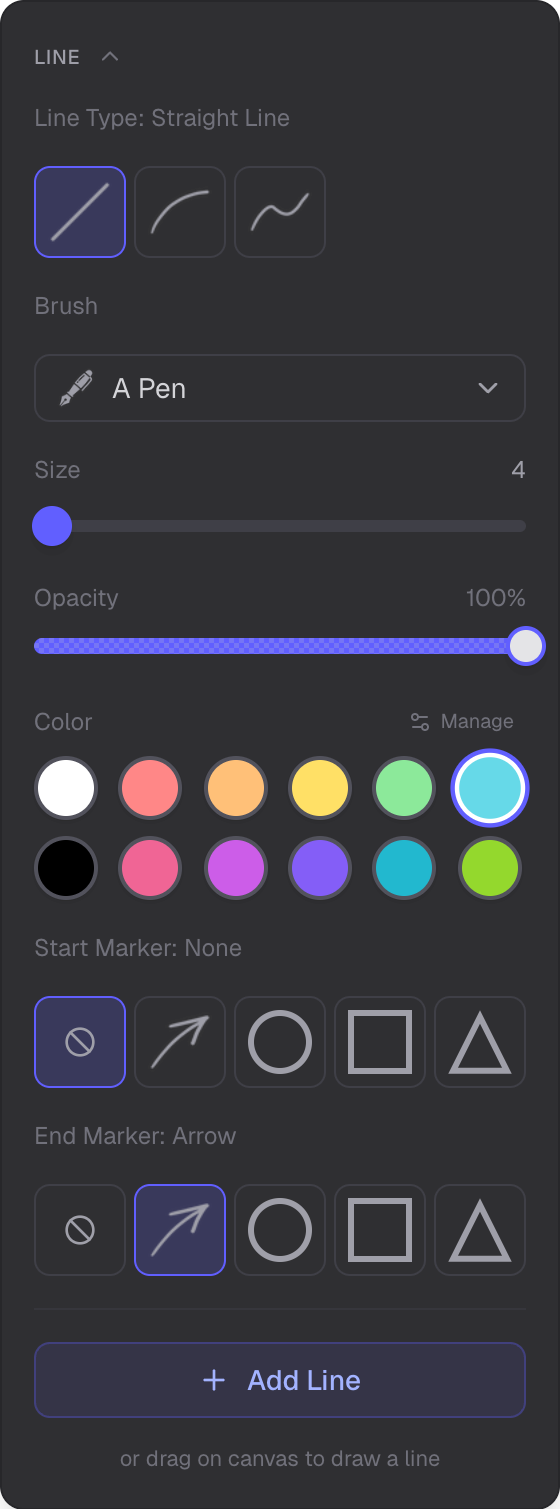
Line styles, markers, and curve controls
Line Styles
- Solid
- Dashed
- Dotted
Start and End Markers
Markers are independently configurable for the start and end of each line. Available options:
- Arrow
- Open Arrow
- Stealth Arrow
- Diamond
- Filled Circle
- Circle
- T-Bar
- None
Curved Lines
Curved lines use virtual handles (control points) to create bezier curves. Add control points and drag them to shape the curve.
Gizmo Handles for Editing
After creating a line, use gizmo handles to edit it. Drag endpoints or control points to adjust the line. Handles appear when the line is selected.
Appearance Controls
- Color — line color
- Opacity — transparency
- Thickness — line width
Use Cases
Lines can connect objects and are useful for diagrams, flowcharts, and annotations.
Related
- Overview Mode — navigate and manage the scene
- Selection Mode — select and edit lines
- Drawing Mode — freehand drawing
- Shapes Mode — create shapes