Shapes Mode
Shapes Mode lets you create triangles and quadrilaterals with brush-style rendering. There is no dedicated keyboard shortcut — switch via the toolbar or mode panel.
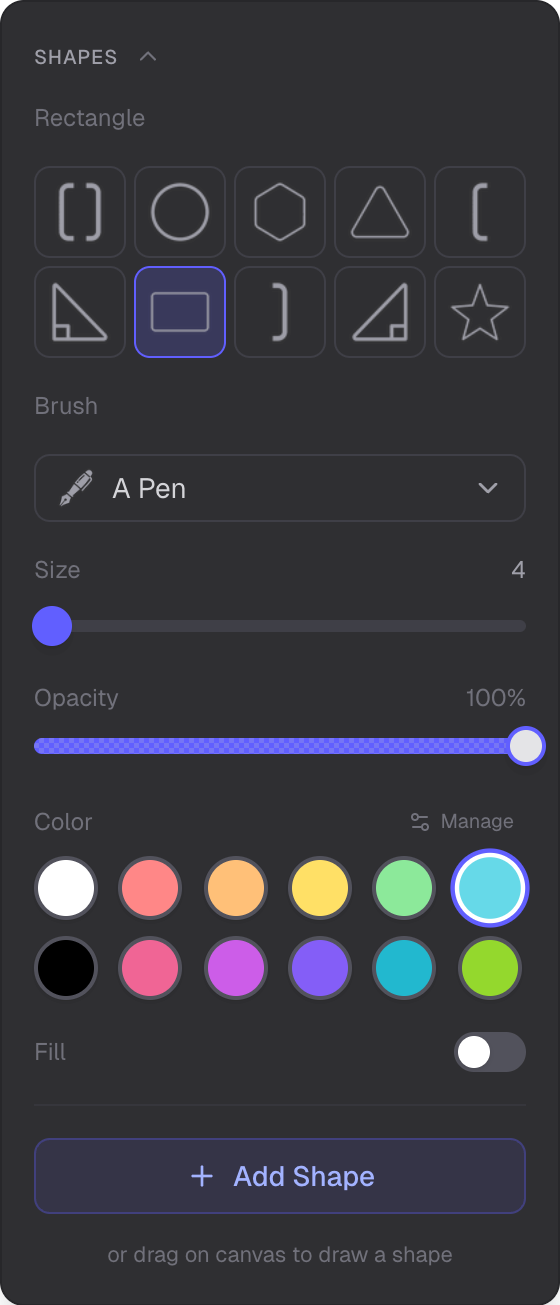
Shape type selector and brush rendering options
Available Shapes
- Triangle
- Quadrilateral
Create Panel
Select the shape type and brush style, then draw on the canvas to create a shape. The shape uses the same brush engines as Drawing Mode: ink brushes and vector effects.
Edit Panel
After creating a shape, use the Edit panel to reshape it. Vertex editing uses gizmo handles — drag vertices to change the shape. Each vertex can be moved independently.
Shape Creation Flow
When you create a shape, its vertices are converted to sampled stroke points. These points are routed to InkMesh or DrawnVectorMesh depending on the brush type. The result is a shape that looks like it was drawn with your chosen brush.
Brush Customization
Shapes inherit all brush customization from the brush system: size, opacity, and color. Use the same controls as in Drawing Mode to style your shapes.
Related
- Overview Mode — navigate and manage the scene
- Selection Mode — select and edit shapes
- Drawing Mode — the brush system used for shape rendering