Symbols Mode
Symbols Mode lets you browse and place vector icons on the canvas. There is no dedicated keyboard shortcut — switch via the toolbar or mode panel.
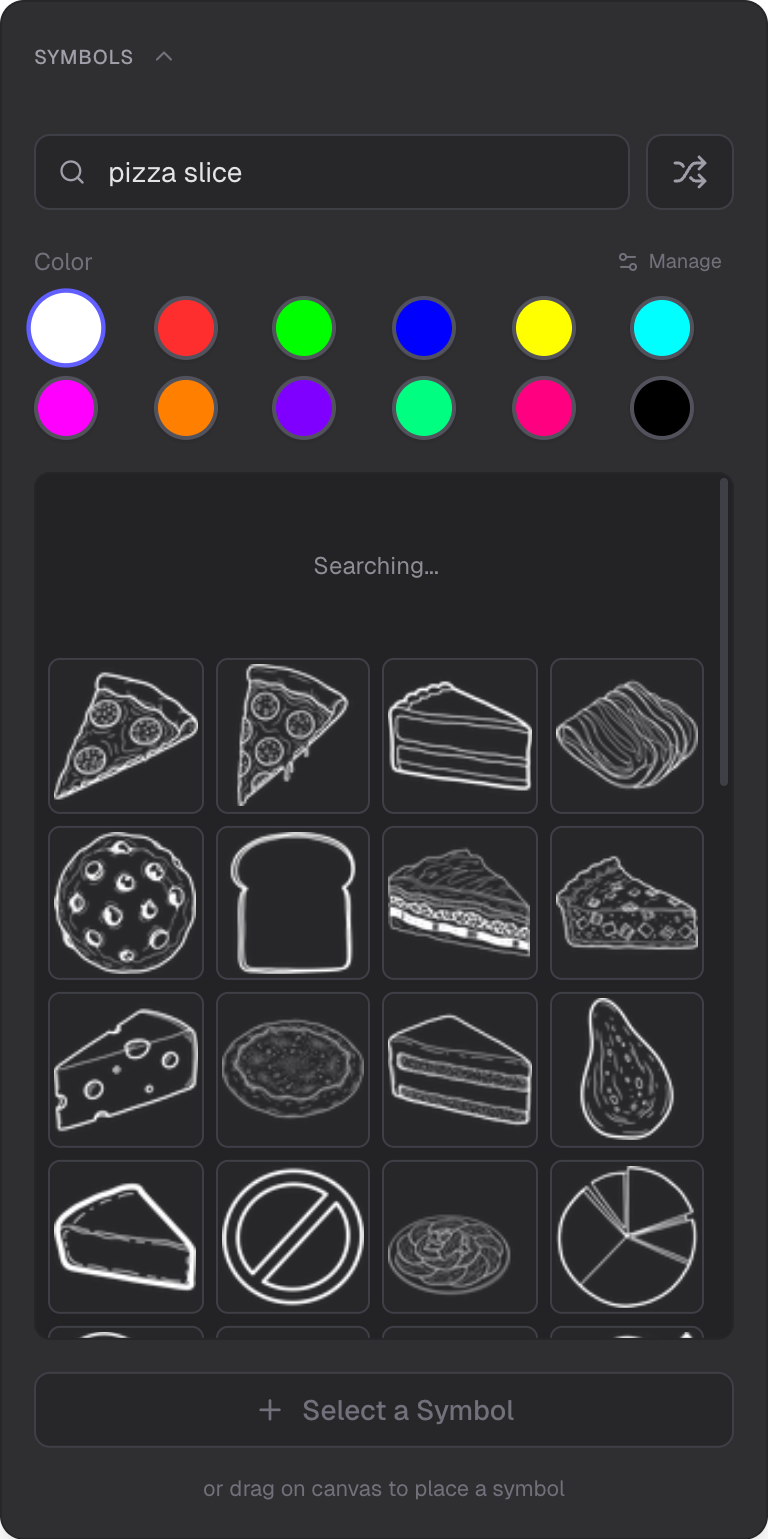
Symbol catalog, search, and cache management
Symbol Catalog
Browse a large collection of vector icons and symbols. The catalog is organized for easy discovery.
Semantic Search
Type a description to find relevant symbols. Search is powered by Pinecone vector search for natural language matching.
Auto-Recolor
Symbols automatically adjust their color to match your current palette. Place a symbol and it will use your selected colors.
Local Caching
Symbols are cached in your browser (IndexedDB) for fast access. Cached symbols load instantly without network requests.
Cache Management
The panel provides cache management options:
- Initialize — set up or reset the cache
- Clear — remove cached symbols
- Refresh — update the cache with latest symbols
Placing and Editing
Place symbols on the canvas and resize or rotate them like any other object. Symbols behave like standard canvas objects.
Related
- Overview Mode — navigate and manage the scene
- Selection Mode — select and edit symbols
- Drawing Mode — freehand drawing
- Image Mode — add raster images